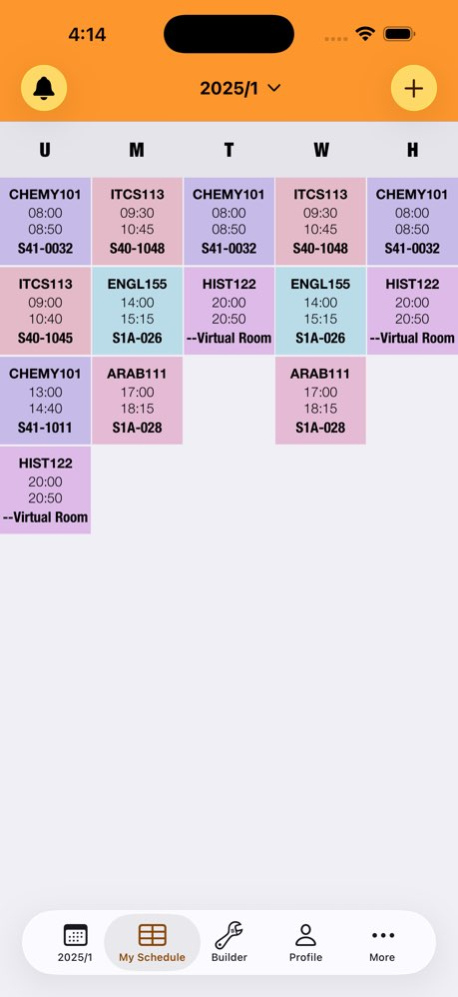
About iUOB 2
iUOB is the ultimate app for UOB students, delivering a sleek and powerful way to manage your academic life. It offers a seamless, intuitive experience to build, organize, and track your schedules with ease. Stay...
iUOB is the ultimate app for UOB students, delivering a sleek and powerful way to manage your academic life. It offers a seamless, intuitive experience to build, organize, and track your schedules with ease. Stay connected, focused, and in control with tools tailored to your university journey. FEATURES: . AI Assistant Connection Link iUOB to Claude or ChatGPT and plan your whole semester by chatting, ask about courses, instructors, and what to take next. . Dynamic Schedule Builder Create and sync your semester schedule effortlessly with intuitive tools and clear section cards, including lab indicators. . Live Activities & Smart Reminders Stay on top of your classes with real-time Lock Screen and Dynamic Island updates, plus personalized notifications for your busy schedule. . Student Directory Browse enrollment lists, access instructor details, and manage sections with a streamlined, user-friendly interface. . Customizable Student Profile Personalize your experience with dynamic college and department selection, a simple sign-up process, and auto-updating profile details. . UOB Map Navigate campus confidently with an integrated map to guide you to your next class or event. . Fast & Reliable Performance Enjoy a smooth, responsive app with optimized speed, enhanced stability, and a polished design. Terms of Service: https://www.apple.com/legal/internet-services/itunes/dev/stdeula/ Privacy Policy: https://iuob.net/privacy-policy
Version History Welcome to the 2026/2027 semester! This is our biggest update yet. • Semester Reveal — turn your schedule into an animated, shareable reel. • Smarter semesters — iUOB now follows the academic calendar. Schedules, reminders, and the builder all move to the new semester automatically. • Semester reminders — key dates like the first day of classes and add/drop deadlines arrive as notifications. • New widgets — Home Screen and Lock Screen widgets, plus a rebuilt Live Activity that follows your class day in real time. • Campus map, redesigned — readable building pins, a detail card for every building, tap any room in your schedule to find it, and one-tap directions in Maps. • Richer course info — course descriptions, exam details, and seat availability right on the sections screen. • Polish — smoother timetable, stability fixes across the app. Have a great semester! 4.5.1 Sep 28 Welcome to the 2026/2027 semester! This is our biggest update yet. • Semester Reveal — turn your schedule into an animated, shareable reel. • Smarter semesters — iUOB now follows the academic calendar. Schedules, reminders, and the builder all move to the new semester automatically. • Semester reminders — key dates like the first day of classes and add/drop deadlines arrive as notifications. • New widgets — Home Screen and Lock Screen widgets, plus a rebuilt Live Activity that follows your class day in real time. • Campus map, redesigned — readable building pins, a detail card for every building, tap any room in your schedule to find it, and one-tap directions in Maps. • Richer course info — course descriptions, exam details, and seat availability right on the sections screen. • Polish — smoother timetable, stability fixes across the app. Have a great semester! 4.5.0 Sep 2 *Plan your semester with AI* You can now connect iUOB to Claude or ChatGPT and just ask: • What should I take next semester? • What is CHEMY101 about? • Tell me about Dr. Ahmed in IT 4.2.0 Jul 9 What's New in iUOB V4 • Built for iOS 26 with a Sleek Liquid Glass Design Enjoy iUOB V4, optimized for iOS 26, featuring a modern liquid glass look for a smooth and stylish user experience. • Stay on Track with Live Activities Never miss a class! Real-time updates on your Lock Screen and Dynamic Island keep you in sync with your schedule as it unfolds. • Smart Class Reminders Stay ahead with personalized notifications tailored to your busy university schedule, ensuring you’re always prepared. • Enhanced Student Directory Browse enrollment lists with ease, and tap instructor names for detailed info. Enjoy streamlined section management. • Premium iUOB Pro Experience Unlock an ad-free, distraction-free interface designed for focused studying and a seamless user experience. • Redesigned Profile Section Enjoy a refreshed profile with dynamic college and department selection, a simplified sign-up process, and automatic updates after login. • Smarter Schedule Management Effortlessly sync your schedule, explore university programs in the More section, and navigate enhanced section cards with clear lab indicators. • Faster, Smoother, Stronger Experience lightning-fast performance, improved stability, and a polished interface with optimized code and bug fixes. Update to iUOB V4 now and power up your university journey! 4.1.1 Feb 4 What's New in iUOB V4 • Built for iOS 26 with a Sleek Liquid Glass Design Enjoy iUOB V4, optimized for iOS 26, featuring a modern liquid glass look for a smooth and stylish user experience. • Stay on Track with Live Activities Never miss a class! Real-time updates on your Lock Screen and Dynamic Island keep you in sync with your schedule as it unfolds. • Smart Class Reminders Stay ahead with personalized notifications tailored to your busy university schedule, ensuring you’re always prepared. • Enhanced Student Directory Browse enrollment lists with ease, and tap instructor names for detailed info. Enjoy streamlined section management. • Premium iUOB Pro Experience Unlock an ad-free, distraction-free interface designed for focused studying and a seamless user experience. • Redesigned Profile Section Enjoy a refreshed profile with dynamic college and department selection, a simplified sign-up process, and automatic updates after login. • Smarter Schedule Management Effortlessly sync your schedule, explore university programs in the More section, and navigate enhanced section cards with clear lab indicators. • Faster, Smoother, Stronger Experience lightning-fast performance, improved stability, and a polished interface with optimized code and bug fixes. Update to iUOB V4 now and power up your university journey! 4.1.0 09/16/2025 What's New in iUOB 4.0 • Stay on Track with Live Activities Never miss a class! Real-time updates on your Lock Screen and Dynamic Island keep you in sync with your schedule as it unfolds. • Smart Class Reminders Stay ahead with personalized notifications tailored to your busy university schedule, ensuring you’re always prepared. • Enhanced Student Directory Browse enrollment lists with ease, and tap instructor names for detailed info. Enjoy streamlined section management. • Premium iUOB Pro Experience Unlock an ad-free, distraction-free interface designed for focused studying and a seamless user experience. • Redesigned Profile Section Enjoy a refreshed profile with dynamic college and department selection, a simplified sign-up process, and automatic updates after login. • Smarter Schedule Management Effortlessly sync your schedule, explore university programs in the More section, and navigate enhanced section cards with clear lab indicators. • Faster, Smoother, Stronger Experience lightning-fast performance, improved stability, and a polished interface with optimized code and bug fixes. Update to iUOB 4.0 now and power up your university journey! 4.0.0 09/10/2025 Bug fixes and enhancements 3.2.3 05/26/2025 Bug fixes and enhancements 3.2.2 02/11/2025 Bug fixes and enhancements 3.2.1 09/29/2024 - Fixes to the schedule builder - UI improvements - Overall app enhancements 3.2.0 09/09/2024 • Bug fixes (My Schedule) 3.1.0 01/27/2022 • Semesters loaded dynamically now • Bug fixes 3.0.1 09/18/2021 • Support for latest iOS version • Added support for the new semester schedule • New schedule widget • Bug fixes 3.0.0 04/13/2021 • Added support for the new semester schedule • Bug fixes 2.1 09/21/2018 Added support for the new semester schedule 2.0.2 05/02/2018 • Update schedule for the second semester 2.0.1 12/27/2017 • Major updates to support new schedule site. • Improve overall performance. 2.0 09/11/2017 • Stories: add live stories from anywhere in the campus • Bug fixes 1.3 07/01/2017 • Schedule builder bug fix • My schedule now points to seconds semester 1.2.1 02/14/2017 • Added Schedule Builder • Update Semester Schedule • Overall Improvements 1.2 01/18/2017 + My Schedule: add your courses without login + Today classes widget + Added support for 3D Touch quick actions - Bugs 1.1 10/16/2016 1.0 09/18/2016
Previous Versions
Here you can find the changelog of iUOB 2 since it was posted on our website on 2017-01-19 16:48:04.
The latest version is 4.5.1 and it was updated on 2026-10-07 00:16:01. See below the changes in each version.
iUOB 2 version 4.5.1
Updated At: 2026-10-06
Changes: Version History Welcome to the 2026/2027 semester! This is our biggest update yet.
• Semester Reveal — turn your schedule into an animated, shareable reel.
• Smarter semesters — iUOB now follows the academic calendar. Schedules, reminders, and the builder all move to the new semester automatically.
• Semester reminders — key dates like the first day of classes and add/drop deadlines arrive as notifications.
• New widgets — Home Screen and Lock Screen widgets, plus a rebuilt Live Activity that follows your class day in real time.
• Campus map, redesigned — readable building pins, a detail card for every building, tap any room in your schedule to find it, and one-tap directions in Maps.
• Richer course info — course descriptions, exam details, and seat availability right on the sections screen.
• Polish — smoother timetable, stability fixes across the app.
Have a great semester! 4.5.1 Sep 28 Welcome to the 2026/2027 semester! This is our biggest update yet.
• Semester Reveal — turn your schedule into an animated, shareable reel.
• Smarter semesters — iUOB now follows the academic calendar. Schedules, reminders, and the builder all move to the new semester automatically.
• Semester reminders — key dates like the first day of classes and add/drop deadlines arrive as notifications.
• New widgets — Home Screen and Lock Screen widgets, plus a rebuilt Live Activity that follows your class day in real time.
• Campus map, redesigned — readable building pins, a detail card for every building, tap any room in your schedule to find it, and one-tap directions in Maps.
• Richer course info — course descriptions, exam details, and seat availability right on the sections screen.
• Polish — smoother timetable, stability fixes across the app.
Have a great semester! 4.5.0 Sep 2 *Plan your semester with AI*
You can now connect iUOB to Claude or ChatGPT and just ask:
• What should I take next semester?
• What is CHEMY101 about?
• Tell me about Dr. Ahmed in IT 4.2.0 Jul 9 What's New in iUOB V4
• Built for iOS 26 with a Sleek Liquid Glass Design
Enjoy iUOB V4, optimized for iOS 26, featuring a modern liquid glass look for a smooth and stylish user experience.
• Stay on Track with Live Activities
Never miss a class! Real-time updates on your Lock Screen and Dynamic Island keep you in sync with your schedule as it unfolds.
• Smart Class Reminders
Stay ahead with personalized notifications tailored to your busy university schedule, ensuring you’re always prepared.
• Enhanced Student Directory
Browse enrollment lists with ease, and tap instructor names for detailed info. Enjoy streamlined section management.
• Premium iUOB Pro Experience
Unlock an ad-free, distraction-free interface designed for focused studying and a seamless user experience.
• Redesigned Profile Section
Enjoy a refreshed profile with dynamic college and department selection, a simplified sign-up process, and automatic updates after login.
• Smarter Schedule Management
Effortlessly sync your schedule, explore university programs in the More section, and navigate enhanced section cards with clear lab indicators.
• Faster, Smoother, Stronger
Experience lightning-fast performance, improved stability, and a polished interface with optimized code and bug fixes.
Update to iUOB V4 now and power up your university journey! 4.1.1 Feb 4 What's New in iUOB V4
• Built for iOS 26 with a Sleek Liquid Glass Design
Enjoy iUOB V4, optimized for iOS 26, featuring a modern liquid glass look for a smooth and stylish user experience.
• Stay on Track with Live Activities
Never miss a class! Real-time updates on your Lock Screen and Dynamic Island keep you in sync with your schedule as it unfolds.
• Smart Class Reminders
Stay ahead with personalized notifications tailored to your busy university schedule, ensuring you’re always prepared.
• Enhanced Student Directory
Browse enrollment lists with ease, and tap instructor names for detailed info. Enjoy streamlined section management.
• Premium iUOB Pro Experience
Unlock an ad-free, distraction-free interface designed for focused studying and a seamless user experience.
• Redesigned Profile Section
Enjoy a refreshed profile with dynamic college and department selection, a simplified sign-up process, and automatic updates after login.
• Smarter Schedule Management
Effortlessly sync your schedule, explore university programs in the More section, and navigate enhanced section cards with clear lab indicators.
• Faster, Smoother, Stronger
Experience lightning-fast performance, improved stability, and a polished interface with optimized code and bug fixes.
Update to iUOB V4 now and power up your university journey! 4.1.0 09/16/2025 What's New in iUOB 4.0
• Stay on Track with Live Activities
Never miss a class! Real-time updates on your Lock Screen and Dynamic Island keep you in sync with your schedule as it unfolds.
• Smart Class Reminders
Stay ahead with personalized notifications tailored to your busy university schedule, ensuring you’re always prepared.
• Enhanced Student Directory
Browse enrollment lists with ease, and tap instructor names for detailed info. Enjoy streamlined section management.
• Premium iUOB Pro Experience
Unlock an ad-free, distraction-free interface designed for focused studying and a seamless user experience.
• Redesigned Profile Section
Enjoy a refreshed profile with dynamic college and department selection, a simplified sign-up process, and automatic updates after login.
• Smarter Schedule Management
Effortlessly sync your schedule, explore university programs in the More section, and navigate enhanced section cards with clear lab indicators.
• Faster, Smoother, Stronger
Experience lightning-fast performance, improved stability, and a polished interface with optimized code and bug fixes.
Update to iUOB 4.0 now and power up your university journey! 4.0.0 09/10/2025 Bug fixes and enhancements 3.2.3 05/26/2025 Bug fixes and enhancements 3.2.2 02/11/2025 Bug fixes and enhancements 3.2.1 09/29/2024 - Fixes to the schedule builder
- UI improvements
- Overall app enhancements 3.2.0 09/09/2024 • Bug fixes (My Schedule) 3.1.0 01/27/2022 • Semesters loaded dynamically now
• Bug fixes 3.0.1 09/18/2021 • Support for latest iOS version
• Added support for the new semester schedule
• New schedule widget
• Bug fixes 3.0.0 04/13/2021 • Added support for the new semester schedule
• Bug fixes 2.1 09/21/2018 Added support for the new semester schedule 2.0.2 05/02/2018 • Update schedule for the second semester 2.0.1 12/27/2017 • Major updates to support new schedule site.
• Improve overall performance. 2.0 09/11/2017 • Stories: add live stories from anywhere in the campus
• Bug fixes 1.3 07/01/2017 • Schedule builder bug fix
• My schedule now points to seconds semester 1.2.1 02/14/2017 • Added Schedule Builder
• Update Semester Schedule
• Overall Improvements 1.2 01/18/2017 + My Schedule: add your courses without login
+ Today classes widget
+ Added support for 3D Touch quick actions
- Bugs 1.1 10/16/2016 1.0 09/18/2016
iUOB 2 version 4.5.1
Updated At: 2026-10-02
Changes: Version History Welcome to the 2026/2027 semester! This is our biggest update yet.
• Semester Reveal — turn your schedule into an animated, shareable reel.
• Smarter semesters — iUOB now follows the academic calendar. Schedules, reminders, and the builder all move to the new semester automatically.
• Semester reminders — key dates like the first day of classes and add/drop deadlines arrive as notifications.
• New widgets — Home Screen and Lock Screen widgets, plus a rebuilt Live Activity that follows your class day in real time.
• Campus map, redesigned — readable building pins, a detail card for every building, tap any room in your schedule to find it, and one-tap directions in Maps.
• Richer course info — course descriptions, exam details, and seat availability right on the sections screen.
• Polish — smoother timetable, stability fixes across the app.
Have a great semester! 4.5.1 3d ago Welcome to the 2026/2027 semester! This is our biggest update yet.
• Semester Reveal — turn your schedule into an animated, shareable reel.
• Smarter semesters — iUOB now follows the academic calendar. Schedules, reminders, and the builder all move to the new semester automatically.
• Semester reminders — key dates like the first day of classes and add/drop deadlines arrive as notifications.
• New widgets — Home Screen and Lock Screen widgets, plus a rebuilt Live Activity that follows your class day in real time.
• Campus map, redesigned — readable building pins, a detail card for every building, tap any room in your schedule to find it, and one-tap directions in Maps.
• Richer course info — course descriptions, exam details, and seat availability right on the sections screen.
• Polish — smoother timetable, stability fixes across the app.
Have a great semester! 4.5.0 Sep 2 *Plan your semester with AI*
You can now connect iUOB to Claude or ChatGPT and just ask:
• What should I take next semester?
• What is CHEMY101 about?
• Tell me about Dr. Ahmed in IT 4.2.0 Jul 9 What's New in iUOB V4
• Built for iOS 26 with a Sleek Liquid Glass Design
Enjoy iUOB V4, optimized for iOS 26, featuring a modern liquid glass look for a smooth and stylish user experience.
• Stay on Track with Live Activities
Never miss a class! Real-time updates on your Lock Screen and Dynamic Island keep you in sync with your schedule as it unfolds.
• Smart Class Reminders
Stay ahead with personalized notifications tailored to your busy university schedule, ensuring you’re always prepared.
• Enhanced Student Directory
Browse enrollment lists with ease, and tap instructor names for detailed info. Enjoy streamlined section management.
• Premium iUOB Pro Experience
Unlock an ad-free, distraction-free interface designed for focused studying and a seamless user experience.
• Redesigned Profile Section
Enjoy a refreshed profile with dynamic college and department selection, a simplified sign-up process, and automatic updates after login.
• Smarter Schedule Management
Effortlessly sync your schedule, explore university programs in the More section, and navigate enhanced section cards with clear lab indicators.
• Faster, Smoother, Stronger
Experience lightning-fast performance, improved stability, and a polished interface with optimized code and bug fixes.
Update to iUOB V4 now and power up your university journey! 4.1.1 Feb 4 What's New in iUOB V4
• Built for iOS 26 with a Sleek Liquid Glass Design
Enjoy iUOB V4, optimized for iOS 26, featuring a modern liquid glass look for a smooth and stylish user experience.
• Stay on Track with Live Activities
Never miss a class! Real-time updates on your Lock Screen and Dynamic Island keep you in sync with your schedule as it unfolds.
• Smart Class Reminders
Stay ahead with personalized notifications tailored to your busy university schedule, ensuring you’re always prepared.
• Enhanced Student Directory
Browse enrollment lists with ease, and tap instructor names for detailed info. Enjoy streamlined section management.
• Premium iUOB Pro Experience
Unlock an ad-free, distraction-free interface designed for focused studying and a seamless user experience.
• Redesigned Profile Section
Enjoy a refreshed profile with dynamic college and department selection, a simplified sign-up process, and automatic updates after login.
• Smarter Schedule Management
Effortlessly sync your schedule, explore university programs in the More section, and navigate enhanced section cards with clear lab indicators.
• Faster, Smoother, Stronger
Experience lightning-fast performance, improved stability, and a polished interface with optimized code and bug fixes.
Update to iUOB V4 now and power up your university journey! 4.1.0 09/16/2025 What's New in iUOB 4.0
• Stay on Track with Live Activities
Never miss a class! Real-time updates on your Lock Screen and Dynamic Island keep you in sync with your schedule as it unfolds.
• Smart Class Reminders
Stay ahead with personalized notifications tailored to your busy university schedule, ensuring you’re always prepared.
• Enhanced Student Directory
Browse enrollment lists with ease, and tap instructor names for detailed info. Enjoy streamlined section management.
• Premium iUOB Pro Experience
Unlock an ad-free, distraction-free interface designed for focused studying and a seamless user experience.
• Redesigned Profile Section
Enjoy a refreshed profile with dynamic college and department selection, a simplified sign-up process, and automatic updates after login.
• Smarter Schedule Management
Effortlessly sync your schedule, explore university programs in the More section, and navigate enhanced section cards with clear lab indicators.
• Faster, Smoother, Stronger
Experience lightning-fast performance, improved stability, and a polished interface with optimized code and bug fixes.
Update to iUOB 4.0 now and power up your university journey! 4.0.0 09/10/2025 Bug fixes and enhancements 3.2.3 05/26/2025 Bug fixes and enhancements 3.2.2 02/11/2025 Bug fixes and enhancements 3.2.1 09/29/2024 - Fixes to the schedule builder
- UI improvements
- Overall app enhancements 3.2.0 09/09/2024 • Bug fixes (My Schedule) 3.1.0 01/27/2022 • Semesters loaded dynamically now
• Bug fixes 3.0.1 09/18/2021 • Support for latest iOS version
• Added support for the new semester schedule
• New schedule widget
• Bug fixes 3.0.0 04/13/2021 • Added support for the new semester schedule
• Bug fixes 2.1 09/21/2018 Added support for the new semester schedule 2.0.2 05/02/2018 • Update schedule for the second semester 2.0.1 12/27/2017 • Major updates to support new schedule site.
• Improve overall performance. 2.0 09/11/2017 • Stories: add live stories from anywhere in the campus
• Bug fixes 1.3 07/01/2017 • Schedule builder bug fix
• My schedule now points to seconds semester 1.2.1 02/14/2017 • Added Schedule Builder
• Update Semester Schedule
• Overall Improvements 1.2 01/18/2017 + My Schedule: add your courses without login
+ Today classes widget
+ Added support for 3D Touch quick actions
- Bugs 1.1 10/16/2016 1.0 09/18/2016
iUOB 2 version 4.5.0
Updated At: 2026-09-25
Changes: Version History Welcome to the 2026/2027 semester! This is our biggest update yet.
• Semester Reveal — turn your schedule into an animated, shareable reel.
• Smarter semesters — iUOB now follows the academic calendar. Schedules, reminders, and the builder all move to the new semester automatically.
• Semester reminders — key dates like the first day of classes and add/drop deadlines arrive as notifications.
• New widgets — Home Screen and Lock Screen widgets, plus a rebuilt Live Activity that follows your class day in real time.
• Campus map, redesigned — readable building pins, a detail card for every building, tap any room in your schedule to find it, and one-tap directions in Maps.
• Richer course info — course descriptions, exam details, and seat availability right on the sections screen.
• Polish — smoother timetable, stability fixes across the app.
Have a great semester! 4.5.0 Sep 2 *Plan your semester with AI*
You can now connect iUOB to Claude or ChatGPT and just ask:
• What should I take next semester?
• What is CHEMY101 about?
• Tell me about Dr. Ahmed in IT 4.2.0 Jul 9 What's New in iUOB V4
• Built for iOS 26 with a Sleek Liquid Glass Design
Enjoy iUOB V4, optimized for iOS 26, featuring a modern liquid glass look for a smooth and stylish user experience.
• Stay on Track with Live Activities
Never miss a class! Real-time updates on your Lock Screen and Dynamic Island keep you in sync with your schedule as it unfolds.
• Smart Class Reminders
Stay ahead with personalized notifications tailored to your busy university schedule, ensuring you’re always prepared.
• Enhanced Student Directory
Browse enrollment lists with ease, and tap instructor names for detailed info. Enjoy streamlined section management.
• Premium iUOB Pro Experience
Unlock an ad-free, distraction-free interface designed for focused studying and a seamless user experience.
• Redesigned Profile Section
Enjoy a refreshed profile with dynamic college and department selection, a simplified sign-up process, and automatic updates after login.
• Smarter Schedule Management
Effortlessly sync your schedule, explore university programs in the More section, and navigate enhanced section cards with clear lab indicators.
• Faster, Smoother, Stronger
Experience lightning-fast performance, improved stability, and a polished interface with optimized code and bug fixes.
Update to iUOB V4 now and power up your university journey! 4.1.1 Feb 4 What's New in iUOB V4
• Built for iOS 26 with a Sleek Liquid Glass Design
Enjoy iUOB V4, optimized for iOS 26, featuring a modern liquid glass look for a smooth and stylish user experience.
• Stay on Track with Live Activities
Never miss a class! Real-time updates on your Lock Screen and Dynamic Island keep you in sync with your schedule as it unfolds.
• Smart Class Reminders
Stay ahead with personalized notifications tailored to your busy university schedule, ensuring you’re always prepared.
• Enhanced Student Directory
Browse enrollment lists with ease, and tap instructor names for detailed info. Enjoy streamlined section management.
• Premium iUOB Pro Experience
Unlock an ad-free, distraction-free interface designed for focused studying and a seamless user experience.
• Redesigned Profile Section
Enjoy a refreshed profile with dynamic college and department selection, a simplified sign-up process, and automatic updates after login.
• Smarter Schedule Management
Effortlessly sync your schedule, explore university programs in the More section, and navigate enhanced section cards with clear lab indicators.
• Faster, Smoother, Stronger
Experience lightning-fast performance, improved stability, and a polished interface with optimized code and bug fixes.
Update to iUOB V4 now and power up your university journey! 4.1.0 09/16/2025 What's New in iUOB 4.0
• Stay on Track with Live Activities
Never miss a class! Real-time updates on your Lock Screen and Dynamic Island keep you in sync with your schedule as it unfolds.
• Smart Class Reminders
Stay ahead with personalized notifications tailored to your busy university schedule, ensuring you’re always prepared.
• Enhanced Student Directory
Browse enrollment lists with ease, and tap instructor names for detailed info. Enjoy streamlined section management.
• Premium iUOB Pro Experience
Unlock an ad-free, distraction-free interface designed for focused studying and a seamless user experience.
• Redesigned Profile Section
Enjoy a refreshed profile with dynamic college and department selection, a simplified sign-up process, and automatic updates after login.
• Smarter Schedule Management
Effortlessly sync your schedule, explore university programs in the More section, and navigate enhanced section cards with clear lab indicators.
• Faster, Smoother, Stronger
Experience lightning-fast performance, improved stability, and a polished interface with optimized code and bug fixes.
Update to iUOB 4.0 now and power up your university journey! 4.0.0 09/10/2025 Bug fixes and enhancements 3.2.3 05/26/2025 Bug fixes and enhancements 3.2.2 02/11/2025 Bug fixes and enhancements 3.2.1 09/29/2024 - Fixes to the schedule builder
- UI improvements
- Overall app enhancements 3.2.0 09/09/2024 • Bug fixes (My Schedule) 3.1.0 01/27/2022 • Semesters loaded dynamically now
• Bug fixes 3.0.1 09/18/2021 • Support for latest iOS version
• Added support for the new semester schedule
• New schedule widget
• Bug fixes 3.0.0 04/13/2021 • Added support for the new semester schedule
• Bug fixes 2.1 09/21/2018 Added support for the new semester schedule 2.0.2 05/02/2018 • Update schedule for the second semester 2.0.1 12/27/2017 • Major updates to support new schedule site.
• Improve overall performance. 2.0 09/11/2017 • Stories: add live stories from anywhere in the campus
• Bug fixes 1.3 07/01/2017 • Schedule builder bug fix
• My schedule now points to seconds semester 1.2.1 02/14/2017 • Added Schedule Builder
• Update Semester Schedule
• Overall Improvements 1.2 01/18/2017 + My Schedule: add your courses without login
+ Today classes widget
+ Added support for 3D Touch quick actions
- Bugs 1.1 10/16/2016 1.0 09/18/2016
iUOB 2 version 4.5.0
Updated At: 2026-09-04
Changes: Version History Welcome to the 2026/2027 semester! This is our biggest update yet.
• Semester Reveal — turn your schedule into an animated, shareable reel.
• Smarter semesters — iUOB now follows the academic calendar. Schedules, reminders, and the builder all move to the new semester automatically.
• Semester reminders — key dates like the first day of classes and add/drop deadlines arrive as notifications.
• New widgets — Home Screen and Lock Screen widgets, plus a rebuilt Live Activity that follows your class day in real time.
• Campus map, redesigned — readable building pins, a detail card for every building, tap any room in your schedule to find it, and one-tap directions in Maps.
• Richer course info — course descriptions, exam details, and seat availability right on the sections screen.
• Polish — smoother timetable, stability fixes across the app.
Have a great semester! 4.5.0 1d ago *Plan your semester with AI*
You can now connect iUOB to Claude or ChatGPT and just ask:
• What should I take next semester?
• What is CHEMY101 about?
• Tell me about Dr. Ahmed in IT 4.2.0 Jul 9 What's New in iUOB V4
• Built for iOS 26 with a Sleek Liquid Glass Design
Enjoy iUOB V4, optimized for iOS 26, featuring a modern liquid glass look for a smooth and stylish user experience.
• Stay on Track with Live Activities
Never miss a class! Real-time updates on your Lock Screen and Dynamic Island keep you in sync with your schedule as it unfolds.
• Smart Class Reminders
Stay ahead with personalized notifications tailored to your busy university schedule, ensuring you’re always prepared.
• Enhanced Student Directory
Browse enrollment lists with ease, and tap instructor names for detailed info. Enjoy streamlined section management.
• Premium iUOB Pro Experience
Unlock an ad-free, distraction-free interface designed for focused studying and a seamless user experience.
• Redesigned Profile Section
Enjoy a refreshed profile with dynamic college and department selection, a simplified sign-up process, and automatic updates after login.
• Smarter Schedule Management
Effortlessly sync your schedule, explore university programs in the More section, and navigate enhanced section cards with clear lab indicators.
• Faster, Smoother, Stronger
Experience lightning-fast performance, improved stability, and a polished interface with optimized code and bug fixes.
Update to iUOB V4 now and power up your university journey! 4.1.1 Feb 4 What's New in iUOB V4
• Built for iOS 26 with a Sleek Liquid Glass Design
Enjoy iUOB V4, optimized for iOS 26, featuring a modern liquid glass look for a smooth and stylish user experience.
• Stay on Track with Live Activities
Never miss a class! Real-time updates on your Lock Screen and Dynamic Island keep you in sync with your schedule as it unfolds.
• Smart Class Reminders
Stay ahead with personalized notifications tailored to your busy university schedule, ensuring you’re always prepared.
• Enhanced Student Directory
Browse enrollment lists with ease, and tap instructor names for detailed info. Enjoy streamlined section management.
• Premium iUOB Pro Experience
Unlock an ad-free, distraction-free interface designed for focused studying and a seamless user experience.
• Redesigned Profile Section
Enjoy a refreshed profile with dynamic college and department selection, a simplified sign-up process, and automatic updates after login.
• Smarter Schedule Management
Effortlessly sync your schedule, explore university programs in the More section, and navigate enhanced section cards with clear lab indicators.
• Faster, Smoother, Stronger
Experience lightning-fast performance, improved stability, and a polished interface with optimized code and bug fixes.
Update to iUOB V4 now and power up your university journey! 4.1.0 09/16/2025 What's New in iUOB 4.0
• Stay on Track with Live Activities
Never miss a class! Real-time updates on your Lock Screen and Dynamic Island keep you in sync with your schedule as it unfolds.
• Smart Class Reminders
Stay ahead with personalized notifications tailored to your busy university schedule, ensuring you’re always prepared.
• Enhanced Student Directory
Browse enrollment lists with ease, and tap instructor names for detailed info. Enjoy streamlined section management.
• Premium iUOB Pro Experience
Unlock an ad-free, distraction-free interface designed for focused studying and a seamless user experience.
• Redesigned Profile Section
Enjoy a refreshed profile with dynamic college and department selection, a simplified sign-up process, and automatic updates after login.
• Smarter Schedule Management
Effortlessly sync your schedule, explore university programs in the More section, and navigate enhanced section cards with clear lab indicators.
• Faster, Smoother, Stronger
Experience lightning-fast performance, improved stability, and a polished interface with optimized code and bug fixes.
Update to iUOB 4.0 now and power up your university journey! 4.0.0 09/10/2025 Bug fixes and enhancements 3.2.3 05/26/2025 Bug fixes and enhancements 3.2.2 02/11/2025 Bug fixes and enhancements 3.2.1 09/29/2024 - Fixes to the schedule builder
- UI improvements
- Overall app enhancements 3.2.0 09/09/2024 • Bug fixes (My Schedule) 3.1.0 01/27/2022 • Semesters loaded dynamically now
• Bug fixes 3.0.1 09/18/2021 • Support for latest iOS version
• Added support for the new semester schedule
• New schedule widget
• Bug fixes 3.0.0 04/13/2021 • Added support for the new semester schedule
• Bug fixes 2.1 09/21/2018 Added support for the new semester schedule 2.0.2 05/02/2018 • Update schedule for the second semester 2.0.1 12/27/2017 • Major updates to support new schedule site.
• Improve overall performance. 2.0 09/11/2017 • Stories: add live stories from anywhere in the campus
• Bug fixes 1.3 07/01/2017 • Schedule builder bug fix
• My schedule now points to seconds semester 1.2.1 02/14/2017 • Added Schedule Builder
• Update Semester Schedule
• Overall Improvements 1.2 01/18/2017 + My Schedule: add your courses without login
+ Today classes widget
+ Added support for 3D Touch quick actions
- Bugs 1.1 10/16/2016 1.0 09/18/2016
iUOB 2 version 4.2.0
Updated At: 2026-08-23
Changes: Version History *Plan your semester with AI*
You can now connect iUOB to Claude or ChatGPT and just ask:
• What should I take next semester?
• What is CHEMY101 about?
• Tell me about Dr. Ahmed in IT 4.2.0 Jul 9 What's New in iUOB V4
• Built for iOS 26 with a Sleek Liquid Glass Design
Enjoy iUOB V4, optimized for iOS 26, featuring a modern liquid glass look for a smooth and stylish user experience.
• Stay on Track with Live Activities
Never miss a class! Real-time updates on your Lock Screen and Dynamic Island keep you in sync with your schedule as it unfolds.
• Smart Class Reminders
Stay ahead with personalized notifications tailored to your busy university schedule, ensuring you’re always prepared.
• Enhanced Student Directory
Browse enrollment lists with ease, and tap instructor names for detailed info. Enjoy streamlined section management.
• Premium iUOB Pro Experience
Unlock an ad-free, distraction-free interface designed for focused studying and a seamless user experience.
• Redesigned Profile Section
Enjoy a refreshed profile with dynamic college and department selection, a simplified sign-up process, and automatic updates after login.
• Smarter Schedule Management
Effortlessly sync your schedule, explore university programs in the More section, and navigate enhanced section cards with clear lab indicators.
• Faster, Smoother, Stronger
Experience lightning-fast performance, improved stability, and a polished interface with optimized code and bug fixes.
Update to iUOB V4 now and power up your university journey! 4.1.1 Feb 4 What's New in iUOB V4
• Built for iOS 26 with a Sleek Liquid Glass Design
Enjoy iUOB V4, optimized for iOS 26, featuring a modern liquid glass look for a smooth and stylish user experience.
• Stay on Track with Live Activities
Never miss a class! Real-time updates on your Lock Screen and Dynamic Island keep you in sync with your schedule as it unfolds.
• Smart Class Reminders
Stay ahead with personalized notifications tailored to your busy university schedule, ensuring you’re always prepared.
• Enhanced Student Directory
Browse enrollment lists with ease, and tap instructor names for detailed info. Enjoy streamlined section management.
• Premium iUOB Pro Experience
Unlock an ad-free, distraction-free interface designed for focused studying and a seamless user experience.
• Redesigned Profile Section
Enjoy a refreshed profile with dynamic college and department selection, a simplified sign-up process, and automatic updates after login.
• Smarter Schedule Management
Effortlessly sync your schedule, explore university programs in the More section, and navigate enhanced section cards with clear lab indicators.
• Faster, Smoother, Stronger
Experience lightning-fast performance, improved stability, and a polished interface with optimized code and bug fixes.
Update to iUOB V4 now and power up your university journey! 4.1.0 09/16/2025 What's New in iUOB 4.0
• Stay on Track with Live Activities
Never miss a class! Real-time updates on your Lock Screen and Dynamic Island keep you in sync with your schedule as it unfolds.
• Smart Class Reminders
Stay ahead with personalized notifications tailored to your busy university schedule, ensuring you’re always prepared.
• Enhanced Student Directory
Browse enrollment lists with ease, and tap instructor names for detailed info. Enjoy streamlined section management.
• Premium iUOB Pro Experience
Unlock an ad-free, distraction-free interface designed for focused studying and a seamless user experience.
• Redesigned Profile Section
Enjoy a refreshed profile with dynamic college and department selection, a simplified sign-up process, and automatic updates after login.
• Smarter Schedule Management
Effortlessly sync your schedule, explore university programs in the More section, and navigate enhanced section cards with clear lab indicators.
• Faster, Smoother, Stronger
Experience lightning-fast performance, improved stability, and a polished interface with optimized code and bug fixes.
Update to iUOB 4.0 now and power up your university journey! 4.0.0 09/10/2025 Bug fixes and enhancements 3.2.3 05/26/2025 Bug fixes and enhancements 3.2.2 02/11/2025 Bug fixes and enhancements 3.2.1 09/29/2024 - Fixes to the schedule builder
- UI improvements
- Overall app enhancements 3.2.0 09/09/2024 • Bug fixes (My Schedule) 3.1.0 01/27/2022 • Semesters loaded dynamically now
• Bug fixes 3.0.1 09/18/2021 • Support for latest iOS version
• Added support for the new semester schedule
• New schedule widget
• Bug fixes 3.0.0 04/13/2021 • Added support for the new semester schedule
• Bug fixes 2.1 09/21/2018 Added support for the new semester schedule 2.0.2 05/02/2018 • Update schedule for the second semester 2.0.1 12/27/2017 • Major updates to support new schedule site.
• Improve overall performance. 2.0 09/11/2017 • Stories: add live stories from anywhere in the campus
• Bug fixes 1.3 07/01/2017 • Schedule builder bug fix
• My schedule now points to seconds semester 1.2.1 02/14/2017 • Added Schedule Builder
• Update Semester Schedule
• Overall Improvements 1.2 01/18/2017 + My Schedule: add your courses without login
+ Today classes widget
+ Added support for 3D Touch quick actions
- Bugs 1.1 10/16/2016 1.0 09/18/2016
iUOB 2 version 4.1.1
Updated At: 2026-06-30
Changes: Version History What's New in iUOB V4
• Built for iOS 26 with a Sleek Liquid Glass Design
Enjoy iUOB V4, optimized for iOS 26, featuring a modern liquid glass look for a smooth and stylish user experience.
• Stay on Track with Live Activities
Never miss a class! Real-time updates on your Lock Screen and Dynamic Island keep you in sync with your schedule as it unfolds.
• Smart Class Reminders
Stay ahead with personalized notifications tailored to your busy university schedule, ensuring you’re always prepared.
• Enhanced Student Directory
Browse enrollment lists with ease, and tap instructor names for detailed info. Enjoy streamlined section management.
• Premium iUOB Pro Experience
Unlock an ad-free, distraction-free interface designed for focused studying and a seamless user experience.
• Redesigned Profile Section
Enjoy a refreshed profile with dynamic college and department selection, a simplified sign-up process, and automatic updates after login.
• Smarter Schedule Management
Effortlessly sync your schedule, explore university programs in the More section, and navigate enhanced section cards with clear lab indicators.
• Faster, Smoother, Stronger
Experience lightning-fast performance, improved stability, and a polished interface with optimized code and bug fixes.
Update to iUOB V4 now and power up your university journey! 4.1.1 Feb 4 What's New in iUOB V4
• Built for iOS 26 with a Sleek Liquid Glass Design
Enjoy iUOB V4, optimized for iOS 26, featuring a modern liquid glass look for a smooth and stylish user experience.
• Stay on Track with Live Activities
Never miss a class! Real-time updates on your Lock Screen and Dynamic Island keep you in sync with your schedule as it unfolds.
• Smart Class Reminders
Stay ahead with personalized notifications tailored to your busy university schedule, ensuring you’re always prepared.
• Enhanced Student Directory
Browse enrollment lists with ease, and tap instructor names for detailed info. Enjoy streamlined section management.
• Premium iUOB Pro Experience
Unlock an ad-free, distraction-free interface designed for focused studying and a seamless user experience.
• Redesigned Profile Section
Enjoy a refreshed profile with dynamic college and department selection, a simplified sign-up process, and automatic updates after login.
• Smarter Schedule Management
Effortlessly sync your schedule, explore university programs in the More section, and navigate enhanced section cards with clear lab indicators.
• Faster, Smoother, Stronger
Experience lightning-fast performance, improved stability, and a polished interface with optimized code and bug fixes.
Update to iUOB V4 now and power up your university journey! 4.1.0 09/16/2025 What's New in iUOB 4.0
• Stay on Track with Live Activities
Never miss a class! Real-time updates on your Lock Screen and Dynamic Island keep you in sync with your schedule as it unfolds.
• Smart Class Reminders
Stay ahead with personalized notifications tailored to your busy university schedule, ensuring you’re always prepared.
• Enhanced Student Directory
Browse enrollment lists with ease, and tap instructor names for detailed info. Enjoy streamlined section management.
• Premium iUOB Pro Experience
Unlock an ad-free, distraction-free interface designed for focused studying and a seamless user experience.
• Redesigned Profile Section
Enjoy a refreshed profile with dynamic college and department selection, a simplified sign-up process, and automatic updates after login.
• Smarter Schedule Management
Effortlessly sync your schedule, explore university programs in the More section, and navigate enhanced section cards with clear lab indicators.
• Faster, Smoother, Stronger
Experience lightning-fast performance, improved stability, and a polished interface with optimized code and bug fixes.
Update to iUOB 4.0 now and power up your university journey! 4.0.0 09/10/2025 Bug fixes and enhancements 3.2.3 05/26/2025 Bug fixes and enhancements 3.2.2 02/11/2025 Bug fixes and enhancements 3.2.1 09/29/2024 - Fixes to the schedule builder
- UI improvements
- Overall app enhancements 3.2.0 09/09/2024 • Bug fixes (My Schedule) 3.1.0 01/27/2022 • Semesters loaded dynamically now
• Bug fixes 3.0.1 09/18/2021 • Support for latest iOS version
• Added support for the new semester schedule
• New schedule widget
• Bug fixes 3.0.0 04/13/2021 • Added support for the new semester schedule
• Bug fixes 2.1 09/21/2018 Added support for the new semester schedule 2.0.2 05/02/2018 • Update schedule for the second semester 2.0.1 12/27/2017 • Major updates to support new schedule site.
• Improve overall performance. 2.0 09/11/2017 • Stories: add live stories from anywhere in the campus
• Bug fixes 1.3 07/01/2017 • Schedule builder bug fix
• My schedule now points to seconds semester 1.2.1 02/14/2017 • Added Schedule Builder
• Update Semester Schedule
• Overall Improvements 1.2 01/18/2017 + My Schedule: add your courses without login
+ Today classes widget
+ Added support for 3D Touch quick actions
- Bugs 1.1 10/16/2016 1.0 09/18/2016
iUOB 2 version 4.1.1
Updated At: 2026-02-04
Changes: What's New in iUOB V4
• Built for iOS 26 with a Sleek Liquid Glass Design
Enjoy iUOB V4, optimized for iOS 26, featuring a modern liquid glass look for a smooth and stylish user experience.
• Stay on Track with Live Activities
Never miss a class! Real-time updates on your Lock Screen and Dynamic Island keep you in sync with your schedule as it unfolds.
• Smart Class Reminders
Stay ahead with personalized notifications tailored to your busy university schedule, ensuring you’re always prepared.
• Enhanced Student Directory
Browse enrollment lists with ease, and tap instructor names for detailed info. Enjoy streamlined section management.
• Premium iUOB Pro Experience
Unlock an ad-free, distraction-free interface designed for focused studying and a seamless user experience.
• Redesigned Profile Section
Enjoy a refreshed profile with dynamic college and department selection, a simplified sign-up process, and automatic updates after login.
• Smarter Schedule Management
Effortlessly sync your schedule, explore university programs in the More section, and navigate enhanced section cards with clear lab indicators.
• Faster, Smoother, Stronger
Experience lightning-fast performance, improved stability, and a polished interface with optimized code and bug fixes.
Update to iUOB V4 now and power up your university journey!
iUOB 2 version 4.1.0
Updated At: 2025-09-16
Changes: Sep 16, 2025
Version 4.1.0
What's New in iUOB V4
• Built for iOS 26 with a Sleek Liquid Glass Design
Enjoy iUOB V4, optimized for iOS 26, featuring a modern liquid glass look for a smooth and stylish user experience.
• Stay on Track with Live Activities
Never miss a class! Real-time updates on your Lock Screen and Dynamic Island keep you in sync with your schedule as it unfolds.
• Smart Class Reminders
Stay ahead with personalized notifications tailored to your busy university schedule, ensuring you’re always prepared.
• Enhanced Student Directory
Browse enrollment lists with ease, and tap instructor names for detailed info. Enjoy streamlined section management.
• Premium iUOB Pro Experience
Unlock an ad-free, distraction-free interface designed for focused studying and a seamless user experience.
• Redesigned Profile Section
Enjoy a refreshed profile with dynamic college and department selection, a simplified sign-up process, and automatic updates after login.
• Smarter Schedule Management
Effortlessly sync your schedule, explore university programs in the More section, and navigate enhanced section cards with clear lab indicators.
• Faster, Smoother, Stronger
Experience lightning-fast performance, improved stability, and a polished interface with optimized code and bug fixes.
Update to iUOB V4 now and power up your university journey!
iUOB 2 version 3.2.3
Updated At: 2025-05-26
Changes: May 26, 2025
Version 3.2.3
Bug fixes and enhancements
iUOB 2 version 3.2.2
Updated At: 2025-02-11
Changes: Feb 11, 2025
Version 3.2.2
Bug fixes and enhancements